

Two Directions
The mental model behind every conversation entry point
Inbound Methods
Every way a prospect can message your AI agent directly
Outbound Methods
Every way Irelia can proactively start a conversation
Quick Reference Table
All methods at a glance with channel, direction, and best use case
FAQs
Common questions answered
Introduction
💬 Facebook Messenger
All Messenger inbound methods require your Facebook Page to be connected to Irelia. If you haven’t done this yet, start with the Connect Meta to Irelia guide.Direct message to your page
When customers visit your Facebook Page and send a message through the built-in messaging feature, Irelia captures those conversations and can respond automatically or route them to your team. When to use it: You have an active Facebook Page and want every incoming Messenger conversation handled by your AI agent — no manual replies, no delays.📤 Outbound Methods — Irelia Writes First
Outbound flips the script: instead of waiting for the customer to message you, Irelia sends the first message. This is powerful for lead nurturing, proactive outreach, and instant responses to form fills, post comments, or CRM events. Most outbound methods use WhatsApp — if you haven’t connected your WhatsApp channel yet, see Connect WhatsApp to Irelia first. Irelia Form, and Irelia API all require you to create and submit a message template through Irelia for Meta’s review, which typically takes minutes to a few hours. See How to Create WhatsApp Templates in Irelia for the full setup guide.Comment-to-DM is the exception. It’s the only outbound method that uses Messenger instead of WhatsApp — and it doesn’t require a message template. More on that below.
📣 Meta Ads — Instant Forms
Irelia integrates natively with Meta’s Instant Forms (the lead capture forms built into Lead Ads on Facebook and Instagram). When a prospect fills out an Instant Form, Irelia automatically sends a WhatsApp message — all without the prospect ever leaving Facebook or Instagram. This is the most common starting point for outbound, especially if you’re already running lead ads.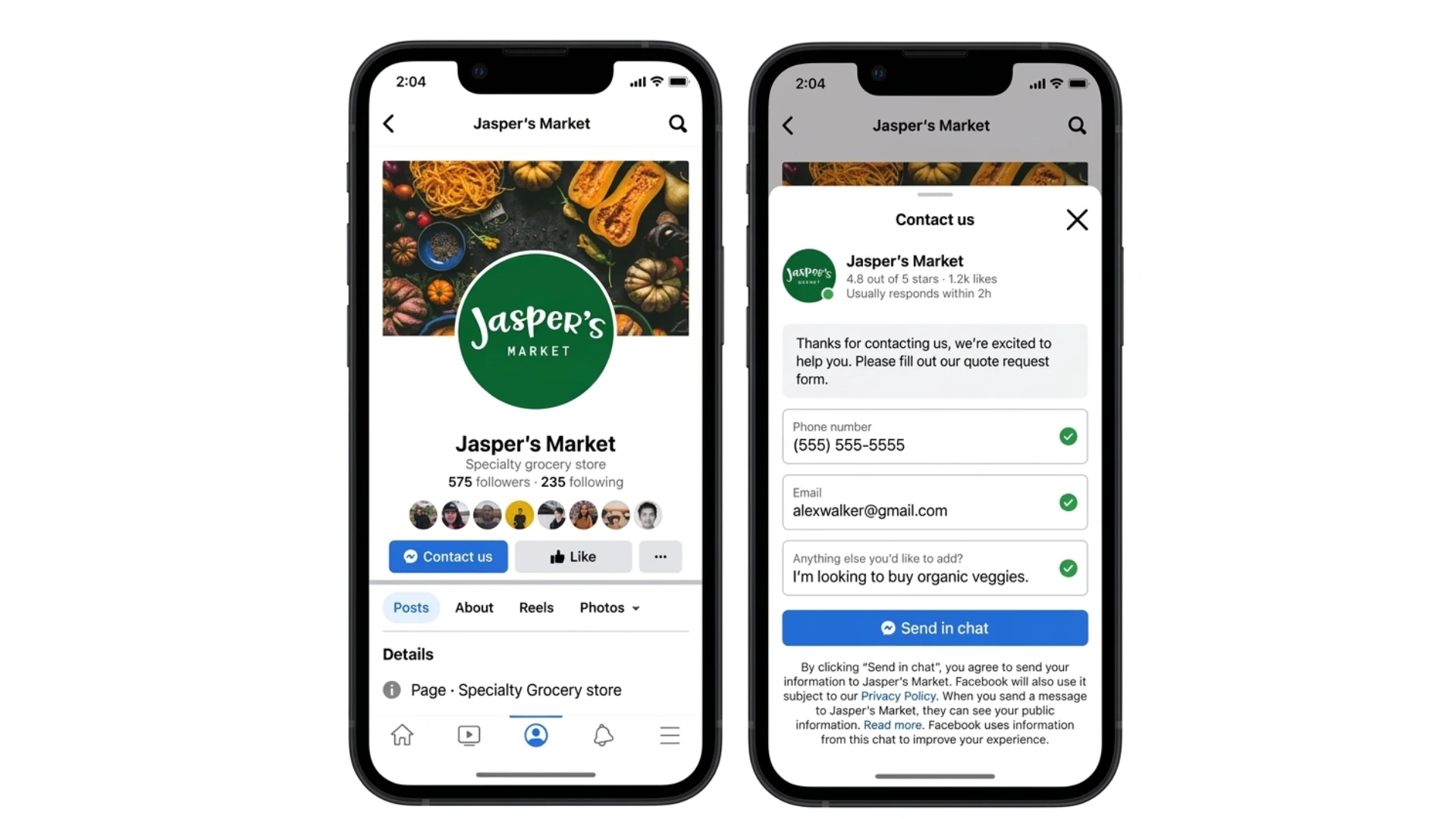
The form is Meta’s native Instant Form — not an Irelia form. You create and manage the form inside Meta Ads Manager. Irelia handles the connection: when a form is submitted, it triggers the WhatsApp message automatically.
📝 Irelia Form
Irelia’s native form builder lets you collect leads and automatically trigger WhatsApp conversations without needing external tools or integrations. You can deploy it as a hosted link to share anywhere, or embed it as an iframe directly on your website to maintain your own branding. The form is ideal when you want to gather leads outside of Meta Forms and start WhatsApp conversations immediately — just build it, share the link, and each submission automatically triggers your AI agent to message the prospect. For more complex workflows, there’s also the Irelia API, which lets any system in your tech stack — whether it’s your CRM, Zapier, Make.com, or custom HTTP requests — trigger WhatsApp messages to specific contacts based on events happening elsewhere in your tools. setup grows. Now I’m explaining comment-to-DM automation, where Facebook comments trigger automatic private messages from the AI agent. This turns public engagement into qualified conversations without manual intervention, similar to tools like ManyChat but with the AI handling the entire interaction from the start. I should note that this only works with organic posts, not ads created directly in Meta Ads Manager — though you can promote an organic post through ads afterward to keep it eligible. Since conversations happen on Messenger rather than WhatsApp, there’s no template requirement, and Meta’s prior interaction rule is satisfied by the comment itself. This approach works especially well with engagement-focused posts. Generating markdown table… I’m addressing some common questions about how these methods work together. Users can definitely run multiple approaches simultaneously within one account, and they don’t need separate agents for each method — a single agent can manage conversations across different channels, though for inbound traffic you’d set one default agent per channel since the system needs to know where to route incoming prospects. If no default inbound agent is assigned to a channel, those conversations simply won’t reach an AI agent, so it’s important to configure that for every channel expecting messages. On Facebook specifically, Irelia can initiate conversations through Comment-to-DM when someone comments on a post, but it can’t cold-message someone without that prior interaction — for truly outbound messaging to new contacts, WhatsApp is the better option. Message templates come into play for certain outbound methods since Meta requires pre-approved formats for business-initiated conversations. Now I’m thinking through which method makes sense depending on the use case — if you’re running ads, Meta Ads Instant Forms is the natural starting point, while Irelia Form works well for outbound without needing ads or a CRM integration. For organic Facebook content, Comment-to-DM captures that engagement directly, and if you’ve got a CRM or existing workflows, the API gives you the flexibility to integrate it however you need. The webchat widget is another option for website visitors, and if you already have a Facebook Page, enabling direct messaging is the simplest way to start receiving inbound conversations. The webchat widget functions differently from traditional live chat — instead of keeping conversations on your site, it moves them to WhatsApp where they persist and Irelia handles them automatically even after someone leaves. Now I’m wrapping up with support information and contact details for users who need help troubleshooting their setup. Verifying the table structure carries through correctly with the empty first column header, and checking that the FAQ section’s Accordion component properly renders the markdown content with appropriate spacing before bullet lists. I’m checking how the emoji callout marker converts to a component — the📌 gets removed since the <Info> component provides its own visual styling, but the bold text and content remain intact. I’m verifying the apostrophe style in the “haven’t” FAQ title — checking whether it’s a straight apostrophe or a curly one to ensure consistency with the backtick expression requirement. I’ve finished checking the apostrophe rules for the FAQ titles — those with contractions like “haven’t” and “What’s” need backtick expressions, while the others use standard quotes. The Introduction heading stays without an emoji to match the source, and I’m keeping both horizontal rules as they appear in the original. Ready to finalize the output. Going with ~8 minutes read for the badge. Now I’m generating the output and double-checking the slug for the “Two Directions” heading — the period in “vs.” is URL-safe, so it stays in the final slug.
Working through the em-dash slugs for the inbound and outbound methods sections. The em-dash character needs URL encoding, so those slugs will include the encoded form. Same pattern applies to the quick reference table heading.
Generating markdown table…
How to Start Conversations with Irelia
A complete map of every way to start a conversation with your Irelia.ai agent — from customers reaching out on WhatsApp and Messenger, to Irelia proactively messaging prospects. Learn which methods are available, when each one makes sense, and where to find the setup guide. ~8 minutes readTwo Directions
The mental model behind every conversation entry point
Inbound Methods
Every way a prospect can message your AI agent directly
Outbound Methods
Every way Irelia can proactively start a conversation
Quick Reference Table
All methods at a glance with channel, direction, and best use case
FAQs
Common questions answered
Introduction
Every AI-powered conversation has to start somewhere. Maybe a prospect clicks your WhatsApp link and asks about pricing. Maybe they fill out a lead form on Instagram and receive a WhatsApp message within seconds. Maybe they comment on your Facebook post and get a private message moments later. Irelia supports all of these — and more. But with multiple channels, directions, and entry points available, it’s easy to wonder: which method should I use? This article is your map. It covers every available way to start a conversation with your Irelia AI agent, organized by the most important distinction: who sends the first message — the customer (inbound) or Irelia (outbound). You won’t find step-by-step setup instructions here. Instead, each method links to its dedicated configuration guide so you can dive deeper when you’re ready. By the end of this article, you’ll understand: ✅ The difference between inbound and outbound conversations in Irelia✅ Every available method for starting a conversation, across all supported channels
✅ When each method makes sense based on your goals and existing setup
✅ Where to go to configure each method
🧭 Two Directions: Inbound vs. Outbound
Before looking at specific methods, there’s one distinction that shapes everything: who sends the first message.- Inbound — The customer messages you first. They write to your WhatsApp number or your Facebook Page. Irelia receives the message and handles the conversation.
- Outbound — Irelia sends the first message. Something triggers it — a form submission, a comment on your post, a CRM event — and Irelia proactively starts the conversation.
| Inbound | Outbound | |
|---|---|---|
| Who sends the first message | The customer | Irelia |
| Available channels | WhatsApp, Messenger | WhatsApp, Messenger (limited) |
| Prospect experience | ”I reached out and got an instant reply" | "They contacted me right away” |
Messenger outbound is limited. WhatsApp allows you to proactively message anyone using approved templates — no prior interaction required. Messenger is different: the only outbound method available is Comment-to-DM, which requires the customer to comment on your post first. You can’t cold-message someone on Messenger. For proactive outreach with no prior interaction, WhatsApp is your channel.
📥 Inbound Methods — The Customer Writes First
Inbound is the most straightforward way to start a conversation: the customer messages you, and your Irelia agent responds instantly. Here are all the inbound entry points available today, organized by channel.Your Irelia account can have multiple AI agents, but when a prospect writes first, Irelia has no way to know which agent to direct them to (since there’s no information except the received message itself). That’s why you assign a default inbound agent for each channel — the agent that automatically handles every new inbound conversation on that channel. Make sure you’ve configured this before going live with any inbound method. See Set Which Agent Manages Inbound Conversations for the full setup guide.
Direct contact
You share your WhatsApp number anywhere — social media bios, website, business cards, email signatures, offline signage — and prospects message it directly. Irelia receives the message and starts the conversation. Once your WhatsApp channel is connected, this works immediately — no additional configuration needed. Just share your number wherever your prospects are.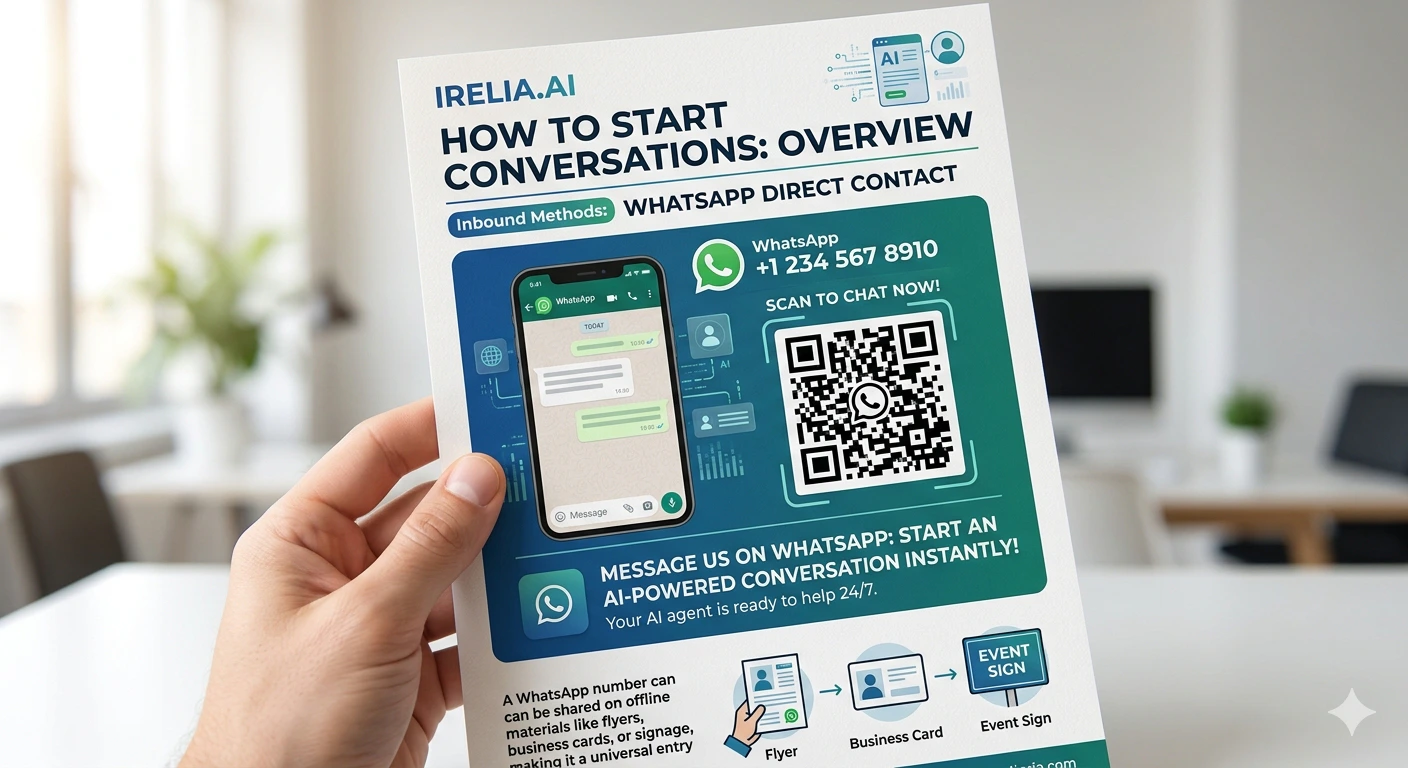
Webchat WhatsApp widget
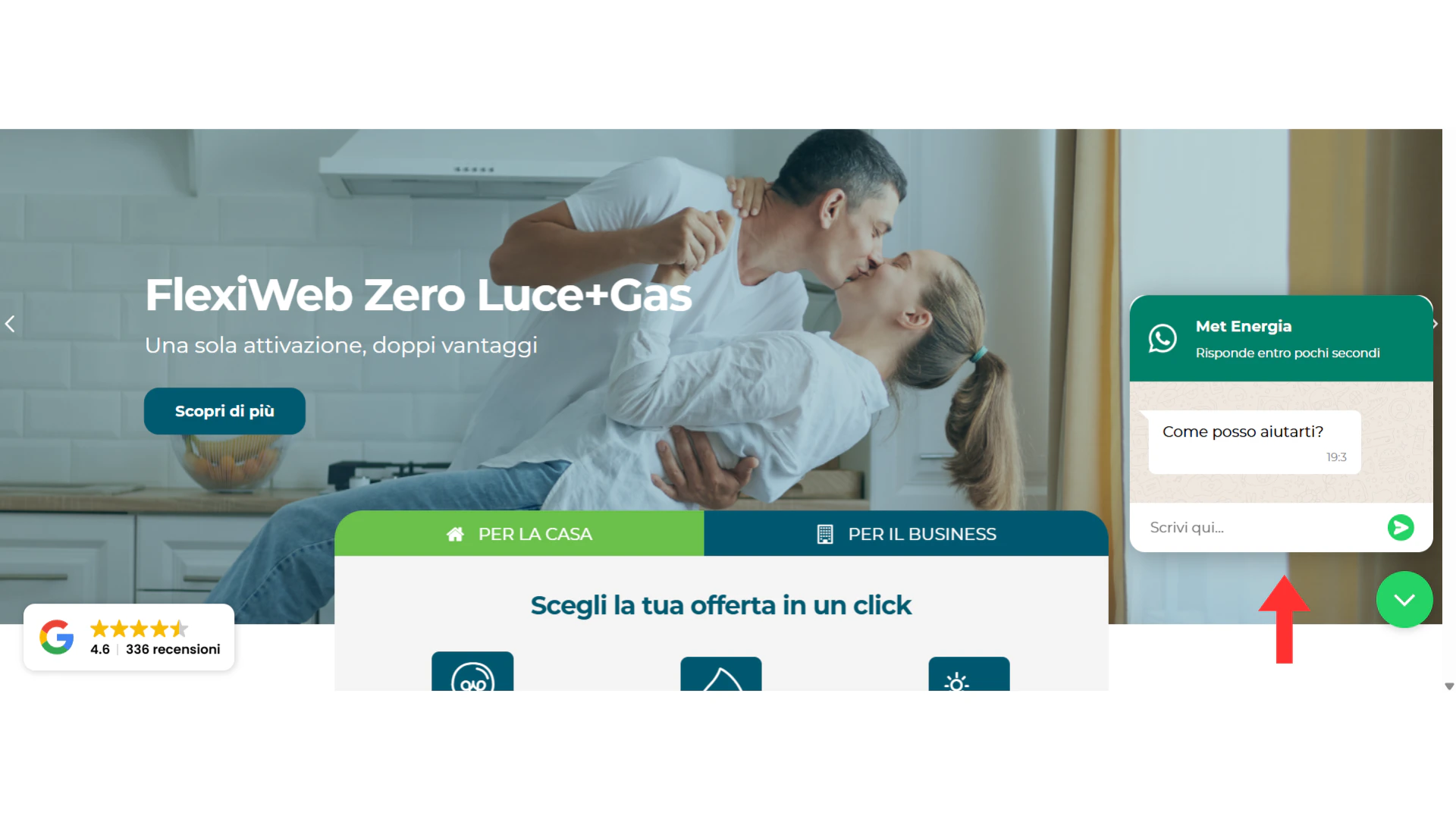
A chat widget on your website that looks and feels like a live chat — but when the visitor types a message and hits send, it opens WhatsApp with a pre-filled message. From that moment, the conversation lives in WhatsApp, and you have their phone number. Why not just a regular live chat? Because traditional web chat is a dead end. An anonymous visitor asks a question, maybe gets an answer — and then closes the tab. No name, no number, no way to reach them again. The conversation dies when they leave your site. The WhatsApp webchat widget solves this entirely. The moment a visitor sends their first message, you’ve captured their WhatsApp number. The conversation doesn’t end when they close the browser — Irelia continues it on WhatsApp, answering questions and qualifying the prospect whether they’re on your site or not.💬 Facebook Messenger
All Messenger inbound methods require your Facebook Page to be connected to Irelia. If you haven’t done this yet, start with the Connect Meta to Irelia guide.Direct message to your page
A customer visits your Facebook Page, taps the “Send Message” button, and starts a conversation. Irelia picks up the message in real time and handles it from there. Once your Facebook Page is connected, this works immediately — no additional configuration needed. When to use it: You have an active Facebook Page and want every incoming Messenger conversation handled by your AI agent — no manual replies, no delays.📤 Outbound Methods — Irelia Writes First
Outbound flips the script: instead of waiting for the customer to message you, Irelia sends the first message. This is powerful for lead nurturing, proactive outreach, and instant responses to form fills, post comments, or CRM events. Most outbound methods use WhatsApp — if you haven’t connected your WhatsApp channel yet, see Connect WhatsApp to Irelia first.Comment-to-DM is the exception. It’s the only outbound method that uses Messenger instead of WhatsApp — and it doesn’t require a message template. More on that below.
📣 Meta Ads — Instant Forms
Irelia integrates natively with Meta’s Instant Forms (the lead capture forms built into Lead Ads on Facebook and Instagram). When a prospect fills out an Instant Form, Irelia automatically sends a WhatsApp message — all without the prospect ever leaving Facebook or Instagram. This is the most common starting point for outbound. If you’re already running Meta Ads (or plan to), this integration connects your ad spend directly to AI-powered conversations.The form is Meta’s native Instant Form — not an Irelia form. You create and manage the form inside Meta Ads Manager. Irelia handles the connection: when a form is submitted, it triggers the WhatsApp message automatically.
📝 Irelia Form
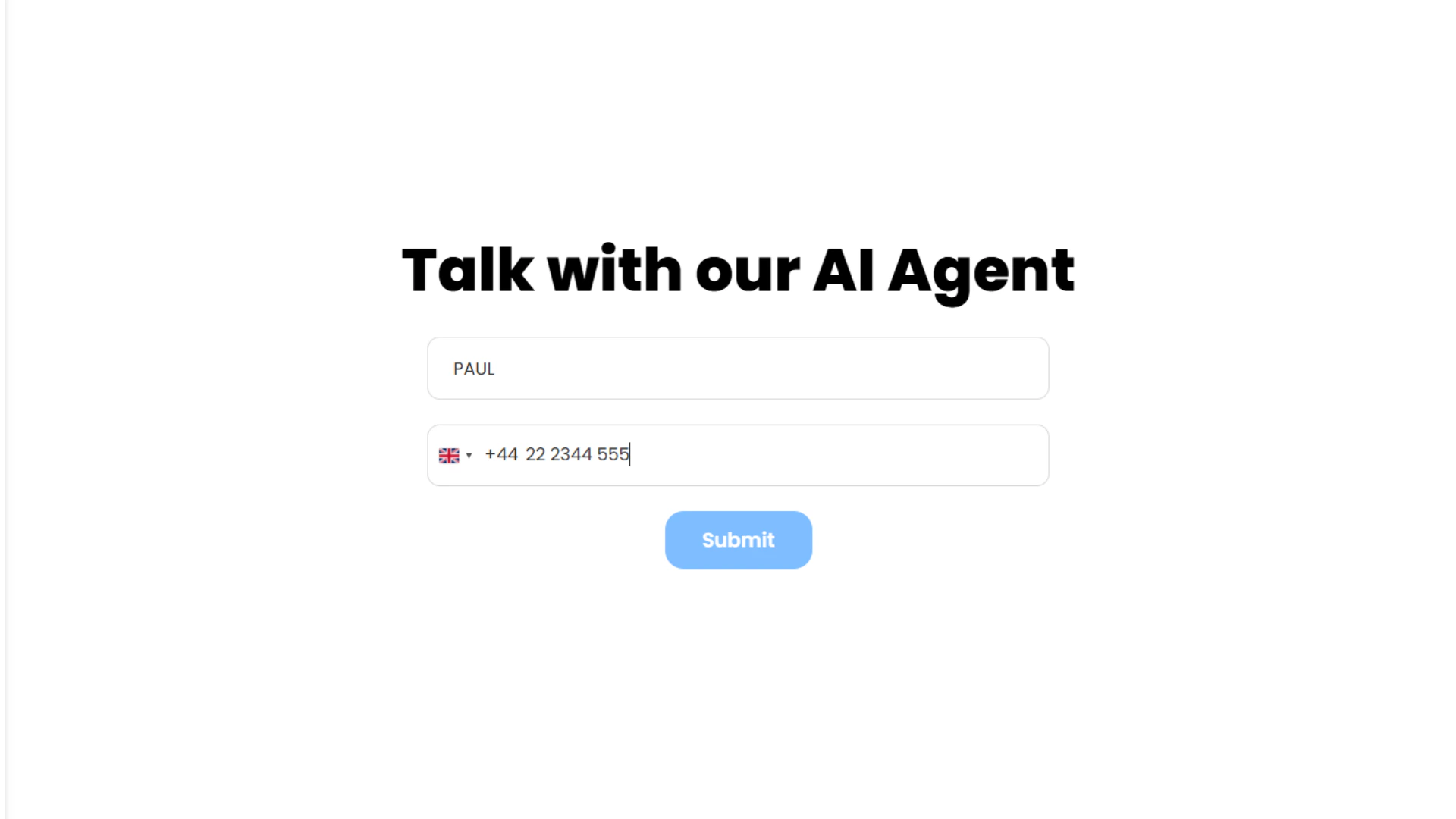
A form built with Irelia’s native form builder. When a prospect fills it out, Irelia automatically sends them a WhatsApp message — no CRM, no automation platform, no code required. You can deploy it in two ways:- Hosted link — Irelia generates a direct URL to the form. Share it anywhere: social media, emails, QR codes, you name it.
- Embedded (iframe) — Embed the form as a full-page iframe on your own website or landing page, keeping your branding and domain.
⚙️ Irelia API
A system — your CRM, an automation platform like Zapier or Make.com, or any tool that can send HTTP requests — triggers the Irelia API call to send a WhatsApp message to a specific contact. Any event in your tech stack can become the trigger. This is the most flexible outbound method. If something in your stack can fire a webhook or API call, it can trigger an Irelia conversation. When to use it: You already have automations, a CRM, or technical resources in place and want full control over when and why a message gets sent. Example scenarios:- A new lead enters your CRM → Irelia sends a WhatsApp message within seconds
- A prospect books a demo → Irelia sends preparation details automatically
- A Zapier or Make.com automation detects a trigger → Irelia reaches out to the prospect
This is the power-user option. If you don’t have a CRM or automation platform yet, start with Meta Ads Instant Forms or Irelia Form instead. You can always add API-based triggers later as your setup grows.
💬 Comment-to-DM Automation
A customer comments on one of your Facebook posts, and Irelia automatically sends them a private message on Messenger. The comment is the trigger; the conversation moves to DM. The customer didn’t message you — they interacted with your content — and Irelia proactively opens the conversation. If you’ve used tools like ManyChat, this concept will feel familiar — turn public engagement into private conversations. The difference is that your Irelia AI agent handles the entire conversation from the first DM forward, qualifying and assisting the prospect automatically.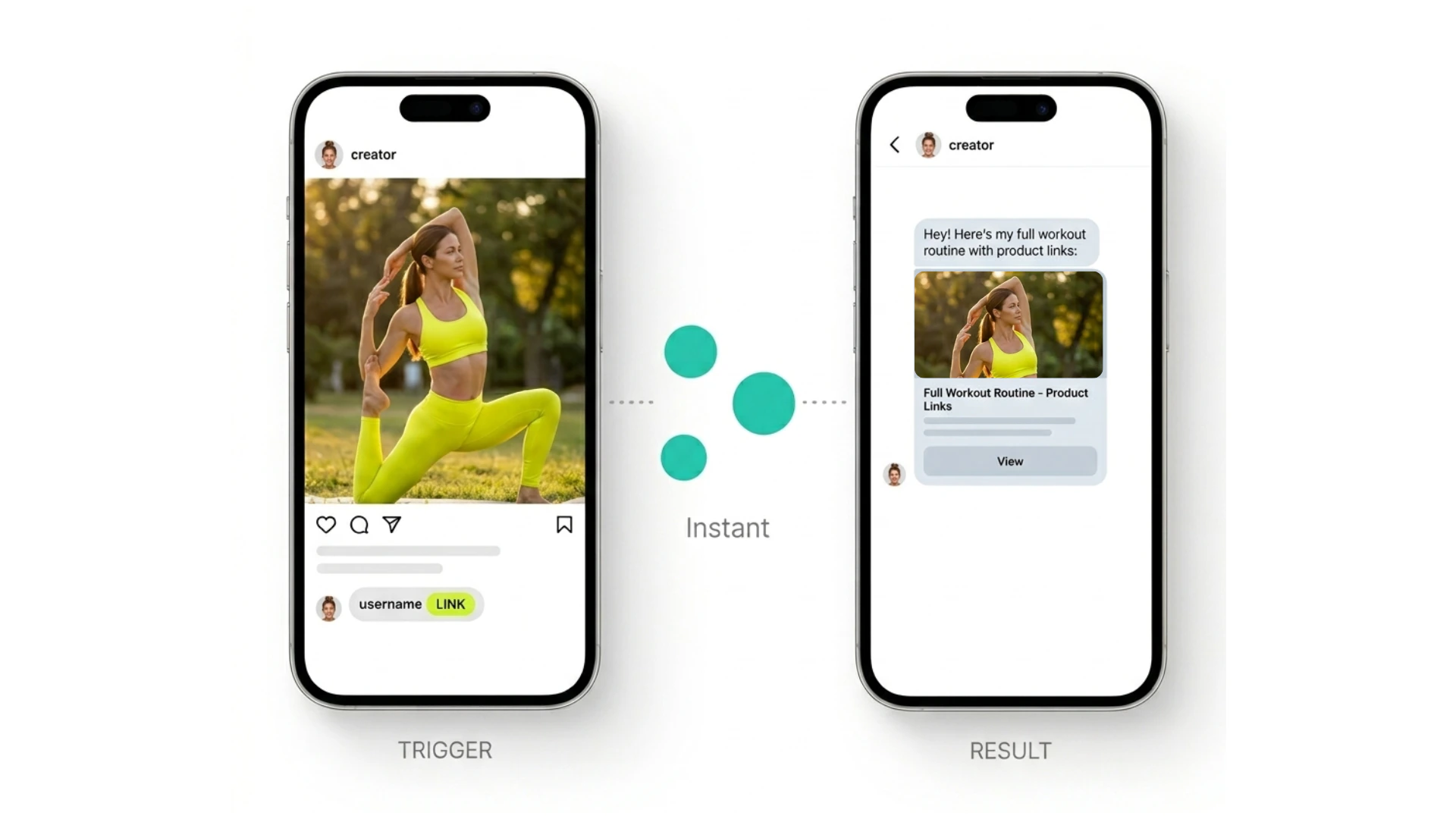
This is the only Messenger outbound method — and it doesn’t require a WhatsApp template. Since the conversation happens on Messenger (not WhatsApp), the WhatsApp template requirement doesn’t apply. However, Meta does require a prior interaction (the comment) before you can message someone on Messenger — which is exactly what this method provides.
📊 Quick Reference Table
Here’s every method at a glance. Use this to quickly compare your options or find the right fit for your situation.| Method | Channel | Direction | Best for |
|---|---|---|---|
| Direct contact | 📥 Inbound | Universal entry point — works anywhere you share your number | |
| Webchat WhatsApp widget | 📥 Inbound | Capturing website visitor intent and moving it to WhatsApp | |
| Direct message to page | Messenger | 📥 Inbound | Capturing conversations from Facebook Page visitors |
| Meta Ads Instant Forms | 📤 Outbound | Instant engagement with Meta Lead Ad submissions | |
| Irelia Form | 📤 Outbound | Fast outbound setup — no CRM or integrations needed | |
| Irelia API | 📤 Outbound | Triggering messages from your CRM, Zapier, Make.com, or any system | |
| Comment-to-DM automation | Messenger | 📤 Outbound | Converting post engagement into qualified DM conversations |
❓ FAQs
Can I use multiple methods at the same time?
Can I use multiple methods at the same time?
Yes — and most users do. Methods are completely independent. You can have direct contact running for your WhatsApp number, Comment-to-DM active on Facebook posts, and Meta Ads Instant Forms handling paid leads — all at the same time, all within the same Irelia account.
Do I need a separate AI agent for each method?
Do I need a separate AI agent for each method?
Not necessarily. A single agent can handle conversations from multiple methods. For outbound, you choose the agent at configuration time. For inbound, you set one default agent per channel — since Irelia has no way to know which agent to direct the prospect to. See Set Which Agent Manages Inbound Conversations for details.
What happens if I haven't set a default inbound agent?
What happens if I haven't set a default inbound agent?
Inbound conversations on that channel won’t be routed to an AI agent. Make sure you assign a default agent for every channel where you expect inbound messages. See Set Which Agent Manages Inbound Conversations for the setup guide.
Can Irelia send the first message on Facebook Messenger?
Can Irelia send the first message on Facebook Messenger?
Yes, but only through Comment-to-DM. When a customer comments on your Facebook post, Irelia can proactively send them a private message on Messenger. However, you can’t cold-message someone on Messenger — a prior public interaction (the comment) is always required. For outbound with no prior interaction, use one of the WhatsApp methods.
What's a WhatsApp message template, and why do some outbound methods need one?
What's a WhatsApp message template, and why do some outbound methods need one?
A message template is a pre-approved message format required by Meta for any business-initiated WhatsApp conversation. You create the template in Irelia, submit it for Meta’s review, and once approved, it’s used as the opening message. Three outbound methods require one: Meta Ads Instant Forms, Irelia Form, and Irelia API. Comment-to-DM doesn’t require a template because it uses Messenger, not WhatsApp. See How to Create WhatsApp Templates in Irelia for step-by-step instructions.
Which method should I start with?
Which method should I start with?
It depends on where your prospects are coming from:
- Running Meta Ads? Start with Meta Ads Instant Forms. It’s the most direct path from ad spend to AI-powered conversation.
- Want outbound without a CRM or ads? Use Irelia Form — build a form, share the link, done.
- Posting organic content on Facebook? Set up Comment-to-DM to turn engagement into conversations.
- Have a CRM or existing automations? Use the Irelia API for maximum flexibility.
- Have website traffic? Add the Webchat WhatsApp widget to capture visitor intent.
- Already have a Facebook Page? Enable direct message to your page — it’s the simplest inbound setup.
Does the webchat widget replace my existing live chat?
Does the webchat widget replace my existing live chat?
It can, but it works differently. Traditional live chat keeps conversations on your website. The Irelia webchat widget moves conversations to WhatsApp — which means the conversation persists even after the visitor leaves your site, and Irelia handles it automatically. You trade on-site chat for a persistent WhatsApp conversation with automatic AI-powered engagement.
🆘 Need Help?
Irelia.ai Support:
- Contact support in the WhatsApp priority support group or send an email to info@irelia.ai
- Include: screenshots of your configuration, the error message, and what you expected vs. what happened